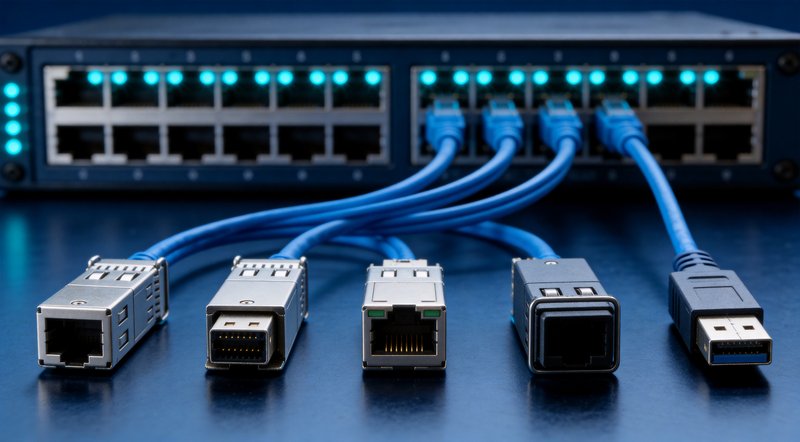
To choose an SFP module for a Huawei switch, match three things: port speed and standard, wavelength to distance (850 nm multimode for short runs, 1310 nm singlemode to 10 km, 1550 nm for 40–80 km), and temperature grade. The module must also carry Huawei-compatible programming code, or the switch may alarm or disable the port.
How Huawei switch compatibility actually works
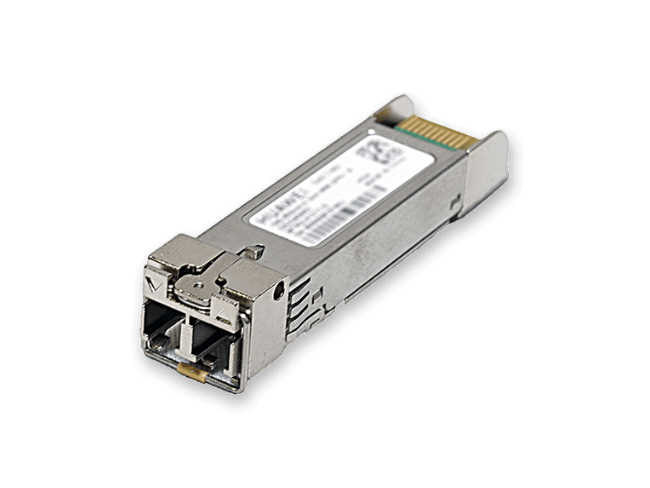
A Huawei switch validates the vendor code programmed into a module’s EEPROM — not just its optics — so every third-party SFP must carry Huawei-compatible code before it runs clean.
Every SFP stores its identity — vendor name, part number, serial number, speed, wavelength and temperature grade — in the EEPROM’s A0h identification page, which the host reads at power-up. Huawei platforms extend this check with the HQS extended-code field and SFP-Classifier logic: on a mismatch, the port can drop into a low-power error-disabled state. Cisco’s equivalent is an IDPROM structure with SHA-1 validation, which is why a Cisco-coded module will not pass a Huawei switch, and vice versa (Thunder-Link sourcing whitepaper, 2026).
Two Huawei alarms matter to buyers:
- ALM-3276800044 — the “non-Huawei-customized optical module” alarm. A third-party module may still pass traffic, but Huawei officially does not guarantee the behavior of non-standard modules (Huawei alarm documentation).
- ALM-4112017 (hwOpticalUnAuthorized, critical) — raised by CE-series data center switches for non-certified modules, effective on devices manufactured from 2013-07-01 (QSFP+/CFP types from 2016-01-01). Huawei notes such modules may behave abnormally and interrupt service (Huawei CE alarm reference).
“Programming” — writing brand-specific vendor codes into the EEPROM A0h page — is the core manufacturing step for every compatible-module supplier. When sourcing, confirm codes are burned per Huawei model, not a generic code.
Step 1: Match speed, wavelength and distance
Wavelength tells you the distance class: 850 nm for multimode short reach, 1310 nm for singlemode mid-range, 1550 nm for long haul.
The table below lists Huawei-documented figures for the most-specified models; all distances and wavelengths are official values.
| Rate | Huawei model (part no.) | Wavelength | Fiber | Documented reach | Typical use |
|---|---|---|---|---|---|
| GE | eSFP-GE-SX-MM850 (02315204) | 850 nm | MMF | 550 m on OM2; 1 km on OM3/OM4 | In-building access |
| GE | SFP-GE-LX-SM1310 (02313URF) | 1310 nm | SMF | 10 km | Campus/metro access |
| 10G | SFP-10G-SR1 | 850 nm | MMF | 400 m on OM4; 300 m on OM3; 82 m on OM2; 66 m on OM1 | In-hall 10G |
| 10G | SFP-10G-LR (02310QDJ) | 1310 nm | SMF | 10 km | Campus/DCI |
| 10G | SFP-10G-ER | 1550 nm | SMF | 40 km | Metro |
| 25G | SFP-25G-SR | 850 nm | MMF | 70 m on OM3; 100 m on OM4 (BER 5×10^-5) | Server access |
| 25G | SFP28-25G-1310nm-10km-SM (02312PDL) | 1310 nm | SMF | 10 km, industrial grade | 25G uplink/fronthaul |
| 40G | QSFP-40G-eSR4 | 850 nm | MMF | 400 m on OM4; 300 m on OM3; 82 m on OM2 | In-hall 40G |
| 100G | QSFP28-100G-SR4 (02311GBW) | 850 nm | MMF | 70 m on OM3; 100 m on OM4 | In-hall, 4×25G breakout |
| 100G | QSFP-100G-CWDM4 (02311MNN) | 1271/1291/1311/1331 nm | SMF | 2 km | Building-to-building |
| 100G | QSFP28-100G-LR4 (02313URT) | 1295/1300/1304/1309 nm | SMF | 10 km | Campus/metro |
| 400G | QSFP-DD-400G-FR4 | 1271/1291/1311/1331 nm | SMF | 2 km | 400G fabric/DCI |
| 800G | OSFP-800G-DR8 | 1311 nm | SMF (MPO-16) | 500 m | AI leaf-spine |
Shop the models in this table: Huawei eSFP-GE-SX-MM850 1000BASE-SX 850nm Multimode GE eSFP Optical Module (550 m on OM2, 02315204) · Huawei SFP-GE-LX-SM1310 1000BASE-LX 1310nm Singlemode GE eSFP Optical Module (10 km, 02313URF) · Huawei SFP-10G-SR1 10GBASE-SR 850nm Multimode 10G SFP+ Optical Module (400 m on OM4) · Huawei SFP-10G-LR 10GBASE-LR 1310nm Singlemode 10G SFP+ Optical Module (10 km, 02310QDJ) · Huawei SFP-10G-ER 10GBASE-ER 1550nm Singlemode 10G SFP+ Optical Module (40 km) · Huawei SFP-25G-SR 25GBASE-SR 850nm Multimode 25G SFP28 Optical Module (100 m on OM4) · Huawei SFP28-25G-1310nm-10km-SM 25GBASE-LR Singlemode 25G SFP28 Industrial Optical Module (10 km, 02312PDL) · Huawei QSFP-40G-eSR4 40GBASE-SR4 850nm Multimode QSFP+ Optical Module (400 m on OM4) · Huawei QSFP28-100G-SR4 100GBASE-SR4 850nm Multimode QSFP28 Optical Module (100 m, 02311GBW) · Huawei QSFP-100G-CWDM4 100GBASE-CWDM4 CWDM Singlemode QSFP28 Optical Module (2 km, 02311MNN) · Huawei QSFP28-100G-LR4 100GBASE-LR4 LAN-WDM Singlemode QSFP28 Optical Module (10 km, 02313URT) · Huawei QSFP-DD-400G-FR4 400GBASE-FR4 CWDM Singlemode QSFP-DD Optical Module (2 km) · Huawei OSFP-800G-DR8 800GBASE-DR8 Singlemode OSFP Optical Module (500 m, MPO-16)
Rules of thumb: 850 nm = multimode, hundreds of meters; 1310 nm = singlemode 2–10 km; 1550 nm = 40–80 km. At the same rate, parallel MPO optics (SR4/DR8) deliver shorter reach at lower cost per link, while CWDM/LAN-WDM duplex optics (CWDM4/LR4/FR4) carry traffic farther over two fibers. Where leased fiber strands are the constraint, single-fiber BIDI pairs (e.g., Tx 1270/Rx 1330) halve the strand count versus duplex modules.
Step 2: Read Huawei part codes and order numbers
Order by both the model name and the 023xxxxx part number — Huawei ships same-model variants that differ in details buyers care about.
The model name encodes the family: eSFP-GE-SX-MM850 decodes as enhanced SFP, Gigabit Ethernet, SX short-wavelength 850 nm over MM multimode — 1000BASE-SX at 550 m on OM2 and 1 km on OM3/OM4, part number 02315204. SFP-GE-LX-SM1310 is the LX long-wavelength 1310 nm singlemode counterpart at 10 km, part number 02313URF.
Verified part numbers for popular models include: eSFP-GE-SX-MM850 = 02315204; SFP-GE-LX-SM1310 = 02313URF; SFP-10G-LR = 02310QDJ; SFP28-25G-1310nm-10km-SM = 02312PDL; QSFP28-100G-SR4 = 02311GBW; QSFP-100G-CWDM4 = 02311MNN; QSFP28-100G-LR4 = 02313URT. Procurement teams routinely search these codes to locate exact originals — give your supplier both the model string and the part number, and require the same model-to-part-number mapping on compatible modules.
Step 3: Choose the right temperature grade
If the cabinet is not air-conditioned, specify industrial-temperature optics — Huawei officially warns that a temperature-grade mismatch can take the port down.
| Class | Case temperature range | Typical environment | Notes |
|---|---|---|---|
| C-Temp | 0°C to 70°C | Air-conditioned data halls, campus closets | Standard for most 10G/25G/40G/100G parts |
| E-Temp | -5°C to 85°C | Lightly conditioned rooms | Wider commercial envelope |
| I-Temp | -40°C to 85°C | Outdoor cabinets, unconditioned plants, 5G sites | Often carries a -RGD/-I suffix; cold-start: I²C accessible at -40°C, full laser current from -30°C |
Field rule of thumb: case temperature runs roughly 20°C above ambient, so sustained ambient above 50°C (or below -20°C) calls for I-Temp (Cisco I-Temp whitepaper). Huawei examples in this guide: eSFP-GE-SX-MM850 is rated -20°C to +85°C case temperature, and SFP28-25G-1310nm-10km-SM (02312PDL) is listed as industrial grade for unconditioned sites.
Common errors — and what they actually mean
Most “module failures” on Huawei switches are vendor-code or temperature-grade mismatches, not bad optics.
- “Unrecognized transceiver” or ALM-3276800044 after inserting a third-party SFP. The switch did not recognize the EEPROM vendor code. Use a per-model programmed compatible module; where site policy allows,
transceiver phony-alarm-disablesilences the alarm. Huawei also documents that early-shipment original modules can false-alarm because vendor information was not recorded. - ALM-4112017 (hwOpticalUnAuthorized) on CE switches. A critical unauthorized-module alarm — treat it as a sourcing error, not a cosmetic warning, on production networks.
- Port goes down after insertion in a hot or cold site. Huawei documentation links temperature-specification mismatch to ports going down; re-check the module’s rated case range against the environment.
- Link is up but DDM readings are missing or frozen. Common with counterfeit or relabeled stock — genuine SFF-8472 modules return live five-parameter diagnostics.
- Multi-vendor estate: Cisco ports error-disable. Cisco requires
service unsupported-transceiver(witherrdisable recovery cause gbic-invalidto recover ports), and this can affect Cisco TAC support.
Command reference: third-party modules across brands
Every major vendor ships a CLI control for third-party modules — but disabling alarms can shift support responsibility to your team.
| Brand | Alarm behavior | Enable/allow third-party command |
|---|---|---|
| Huawei | ALM-3276800044 (non-Huawei-customized module); CE switches: ALM-4112017 (critical) | transceiver phony-alarm-disable |
| Cisco | Unsupported-transceiver errors; port error-disable | service unsupported-transceiver (+ errdisable recovery cause gbic-invalid) |
| H3C | OPTMOD/4/PHONY_MODULE |
transceiver third-party alarm enable; verify with display transceiver interface |
| Juniper | Unsupported transceiver log | set chassis fpc <fpc> pic <pic> unsupported-transceiver |
| Arista | Unsupported-transceiver alarm | unsupported-transceiver (CLI permit) |
| ZTE | Usually passes by default | set port transceiver ignore-vendor-check (backup option) |
Verify the link with DDM/DOM
Digital diagnostics are your fastest acceptance test: a module reporting live, plausible DDM values is almost certainly correctly programmed and healthy.
SFF-8472 defines two EEPROM pages — A0h for identification and A2h for real-time diagnostics. Five parameters are monitored: module temperature (industry accuracy ±3–5°C), supply voltage, laser bias current (±10%) and Tx/Rx optical power (±2–3 dB). On Huawei and H3C devices, display transceiver (H3C: display transceiver interface) reads vendor name, part number, serial number, wavelength and temperature grade — compare against the label before accepting any shipment. Among the models in this guide, Huawei officially documents DDM support for eSFP-GE-SX-MM850 (02315204) and QSFP28-100G-LR4 (02313URT); confirm other models on their official hardware descriptions before writing them into tenders. Huawei eSFP-GE-SX-MM850 1000BASE-SX 850nm Multimode GE eSFP Optical Module (550 m on OM2, 02315204) Huawei QSFP28-100G-LR4 100GBASE-LR4 LAN-WDM Singlemode QSFP28 Optical Module (10 km, 02313URT)
Buying for AI clusters: the 800G and LPO shift
800G is scaling faster than any previous optics generation — and each GPU card adds an average of 2.5–4 optical modules (Huawei figure). Goldman Sachs raised its 2026 forecast for 800G module shipments from 25 million to 33.5 million units (+58%) (industry report, 2026-09). For in-hall AI fabrics up to 500 m, the reference class is OSFP-800G-DR8 (1311 nm, MPO-16); power is becoming a selection axis, with LPO (linear-drive) designs at 6–9 W versus 14–18 W for DSP-based 800G parts (AscentOptics, 2026-05; LPO MSA v1.01). Huawei OSFP-800G-DR8 800GBASE-DR8 Singlemode OSFP Optical Module (500 m, MPO-16)
Source with confidence: BS COMTEC
BS COMTEC supplies both original Huawei optics and per-model programmed compatible modules as an authorized distribution and compatible-solutions partner for Huawei and other brands. Email longyouvip@gmail.com with your switch models, firmware versions, link distances and quantities — you will receive a compatibility-checked quotation with the model-to-part-number mapping stated in writing.
FAQ: choosing SFP modules for Huawei switches
Q1. Why does my Huawei switch report “unrecognized transceiver” or ALM-3276800044?
The switch read a vendor code it does not recognize in the module’s EEPROM — typically a third-party module, or an early-shipment original whose vendor information was not recorded. The module may still pass traffic, but Huawei does not officially guarantee non-standard modules. Fit a per-model programmed compatible module, or silence the alarm with transceiver phony-alarm-disable where policy allows.
Q2. Which Huawei command disables the third-party transceiver alarm?
transceiver phony-alarm-disable disables the non-Huawei-customized module alarm. On CE data center switches, non-certified modules additionally raise critical alarm ALM-4112017 (hwOpticalUnAuthorized). Note that disabling alarms may affect vendor support responsibility.
Q3. Can I plug a Cisco or H3C SFP module into a Huawei switch?
No. Each vendor programs different codes — Cisco uses an IDPROM structure with SHA-1 validation, Huawei uses HQS extended codes with SFP-Classifier logic — so cross-brand modules alarm or error-disable the port. Compatible modules must be programmed specifically for Huawei.
Q4. How do I verify a Huawei SFP module is genuine?
Read vendor name, part number, serial number, wavelength and temperature grade with display transceiver and compare with the label; check that DDM values are live rather than frozen; verify the serial/ESN through official Huawei channels. Genuine modules should not trigger ALM-3276800044 or ALM-4112017.
Q5. Which Huawei modules officially support DDM/DOM?
In this guide, Huawei documents DDM support for eSFP-GE-SX-MM850 (02315204) and QSFP28-100G-LR4 (02313URT); eSFP-class GE modules monitor voltage, temperature, bias current and optical power. Confirm other models on their official hardware descriptions before specifying them in tenders.
Q6. When do I need an industrial -40°C to +85°C module?
When sustained ambient temperature exceeds 50°C or falls below -20°C, since case temperature runs roughly 20°C above ambient. Outdoor cabinets, unconditioned plants and 5G sites are typical cases. Huawei warns that inserting a module whose temperature specification does not match the supported range may take the port down.
Q7. Which module should I use for 300 m, 10 km and 40 km links?
For 300 m multimode, choose the 850 nm SR class — SFP-10G-SR1 reaches 300 m on OM3 and 400 m on OM4. For 10 km singlemode, choose the 1310 nm LR class — SFP-10G-LR (or SFP-GE-LX-SM1310 at GE rates). For 40 km, choose the 1550 nm ER class — SFP-10G-ER. All figures are Huawei-documented.
Q8. Will a compatible SFP module void my Huawei switch warranty?
In the US, the Magnuson-Moss Warranty Act constrains manufacturers from denying hardware warranty solely because a compatible part was used; practices vary by region and contract. Document your supplier’s warranty terms, and consider a mixed strategy — original on critical links, compatible on scale-out links.
Q: How do I check SFP module status on a Huawei switch?
A: Use three commands in order. First run display transceiver interface XGigabitEthernet 0/0/1 to confirm the module type, wavelength and rated distance the switch has read from the EEPROM. Then run display transceiver diagnosis interface XGigabitEthernet 0/0/1 for real-time DDM values: module temperature, supply voltage, laser bias current and Tx/Rx optical power. Finally check display interface XGigabitEthernet 0/0/1 for link status and CRC error counters.
For a 10GBASE-SR module, Rx power between roughly −7 and −16.8 dBm is normal; a reading near −16.8 dBm means you are at the IEEE 802.3ae receiver sensitivity limit. Replace the module (or clean the fiber) when Tx power drops more than about 3 dB below nominal, when bias current trends steadily upward, or when CRC errors keep growing while optical power looks fine.
Q: What is the difference between SFP+ and SFP28?
A: SFP+ is the 10 Gbps form factor (10.3125 Gbaud line rate, 10GBASE-SR/LR/ER modules), while SFP28 looks identical mechanically but runs 25 Gbps (25.78125 Gbaud, 25GBASE-SR/LR). The extra speed comes from faster SerDes on both sides, not from a different connector, so most SFP28 ports accept an SFP+ module and negotiate down to 10G, and many 25G modules can rate-select down to 10G if the switch supports it — always confirm in the switch datasheet.
Use SFP+ for general 10G access and uplinks; use SFP28 when you need 25G server connectivity, 25G storage fabrics or 5G fronthaul links. On Huawei gear the parallel part numbers are, for example, SFP-10G-SR (300 m on OM3) versus SFP-25G-SR (100 m on OM4 multimode).
Q: How are SFP module jitter and delay tested?
A: Jitter is measured on a bit-error-ratio tester (BERT) with a high-bandwidth oscilloscope: the transmitter eye is captured while the module runs a standard PRBS pattern, and total jitter (TJ) is extrapolated at a BER of 1×10⁻¹² against the limits defined per data rate in IEEE 802.3 and the SFF-8431-style electrical specifications. For the receive side, the BERT injects a stressed eye (inter-symbol interference plus jitter) and the module must still recover the signal below the same BER target.
Module delay itself is dominated by transmitter turn-on/turn-off times and SerDes latency — nanoseconds, measured with SFF-8471-style fixtures. What most projects verify in the field is end-to-end stability: run a 24–72 h soak at full link load, confirm BER stays below 1×10⁻¹&sup²; (zero errored frames), DDM power stays inside the window, and RFC 2544 throughput/latency matches a known-good baseline module. For tenders that require per-lot qualification, request factory jitter and DDM test reports from the supplier — we provide them for Huawei-compatible modules on request.